Audio Equalizer
A system-wide equalizer, amplifier and audio visualizer for the Mac.
- Platform
- macOS 26 or later
- Language
- Swift
- License
- GPL-3.0-or-later
- Status
- Working, tested on macOS 26 and 27
Audio Equalizer shapes and boosts everything your Mac plays (music, videos, games, calls) on whichever speakers or headphones you are using. It needs no virtual audio driver: it uses the audio capture built into recent versions of macOS, and your Mac's sound goes back to normal the moment you stop it.
What it does
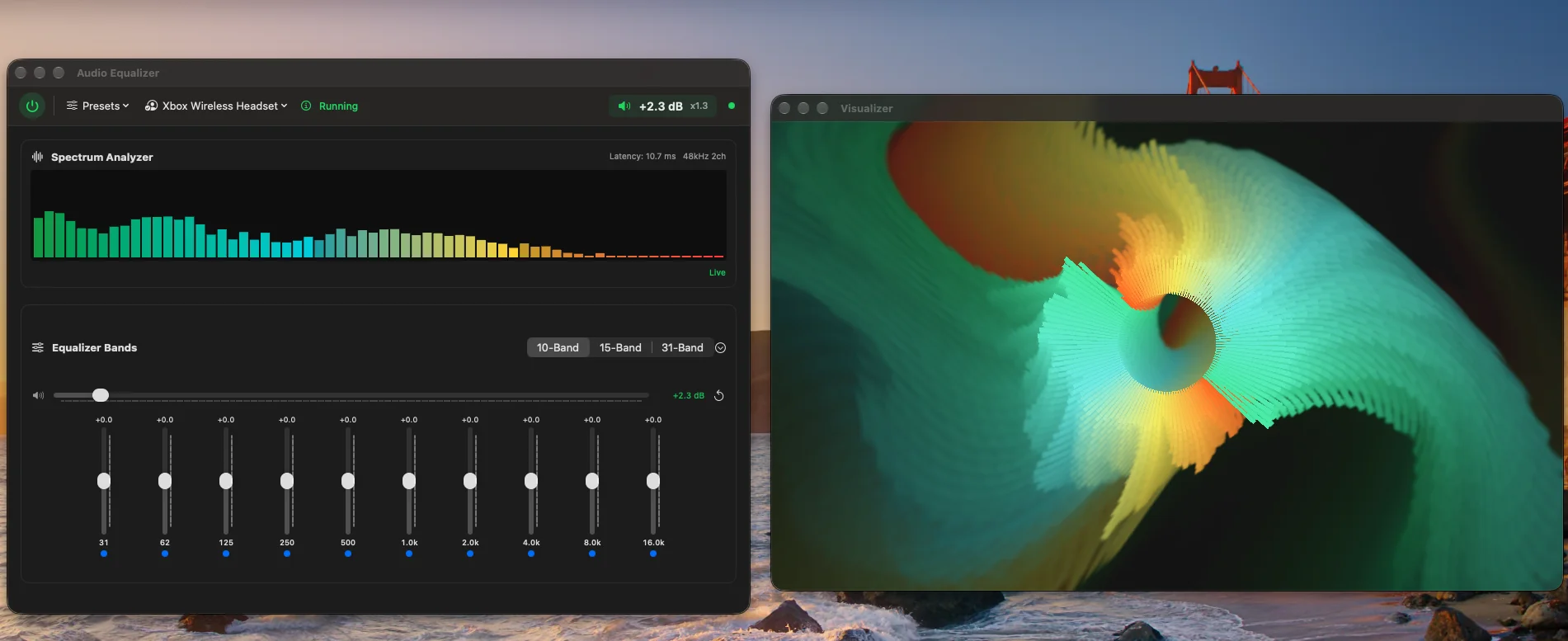
- A 10, 15 or 31 band graphic EQ from 20 Hz to 20 kHz, with up to 24 dB of boost or cut per band.
- Master gain up to +24 dB, for quiet laptop speakers and headphones.
- 17 built-in presets, including Bass Boost, Vocal, Podcast/Voice and Night Mode, plus your own. Presets can be shared as files.
- A separate profile for each output device, so your headphones and your TV each keep their own sound.
- A live spectrum analyzer, and a visualizer window with 24 modes that react to the music.
- Imports MilkDrop visualizer presets.
How it works
macOS 26 added process taps, a way for an app to capture the audio the system is playing. When you press Start, Audio Equalizer creates a tap on the Mac's output and a private audio device that joins it to your real speakers or headphones. It runs the captured sound through the equalizer and plays the result, while macOS mutes the original so you hear only the equalized version.
The tap and the audio device are private, so other apps never see them, and they exist only while the equalizer is running: pressing Stop removes them, and macOS cleans them up if the app quits. There is no kernel extension, audio driver, login item or background service. The app stores your presets and settings in your user Library and asks once for permission to capture audio.
What you need
- A Mac with Apple silicon (M1 or later).
- macOS 26 (Tahoe) or later.
- Xcode 26 or later, free from the Mac App Store.
Install
Open Terminal and run these commands in order.
-
1. Download and build
git clone https://github.com/zuujiscom/AudioEqualizer.git cd AudioEqualizer xcodebuild -project AudioEqualizer.xcodeproj -scheme AudioEqualizer -configuration Release -derivedDataPath build -
2. Install and open the app
cp -R build/Build/Products/Release/AudioEqualizer.app /Applications/
open /Applications/AudioEqualizer.app
This copies the app into your Applications folder. You can also drag it there in Finder from build/Build/Products/Release.
Use it
- Press the power button at the top left of the window. The first time, macOS asks for permission to capture audio. Allow it.
- Play something and move the sliders, or pick a preset.
- Press the power button again to stop. Your Mac's audio returns to normal.
Updating, uninstalling and troubleshooting are covered in the full setup guide. Found a problem? Open an issue on GitHub.
Credit and license
Released under the GPL-3.0-or-later license. It is free to use, change and share under that license's terms.